
 GROWTH GUIDE
Google Business Messages for Local Businesses: A Practical Guide
Google Business Messages is a Google-hosted, rich messaging API that lets customers start a conversation with your business directly from Search, Maps, and Ads. For most U.S. local businesses, it’s worth enabling if you rely on bookings, quick lead capture, or want to reduce incoming phone calls.
According to Google’s developer documentation, approximately 75% of consumers prefer engaging with brands via private messaging channels rather than traditional channels. If your customers are searching on mobile and you’re not reachable by chat, you’re losing conversations to whoever is.
Who should enable it now: Any local business that depends on bookings, foot traffic, or fast lead conversion — HVAC companies, barbers, fitness studios, restaurants, travel agents.
Three immediate actions:
- Check whether you need a developer, a messaging platform, or a managed integration like Service Grower
- Estimate the cost difference between DIY engineering and a managed monthly service
- Draft two or three conversational starters before any technical work begins
Table of Contents
- What does Google Business Messages actually do?
- Why should local businesses consider this messaging platform?
- How does implementation actually work, step by step?
- How do you configure routing, analytics, and privacy correctly?
- Which integration path fits your business?
- Key Takeaways
- Why the technical setup is only half the problem
- How Service Grower sets up and manages Business Messages for you
- Primary sources and further reading
What does Google Business Messages actually do?
The short version: customers see a “Chat” button on your Google Search or Maps listing and tap it to start a conversation. You respond through a branded conversational agent. The experience is asynchronous, so neither side needs to be available at the same moment.
Google’s features documentation lists the full toolkit: suggested replies and actions, rich cards and carousels, images, delivery and read receipts, CSAT surveys, OAuth authentication, and availability settings. Conversations stay active for a limited period after the customer’s last message, which matters for follow-up sequences.
A few specifics worth knowing:
- Entry points: Google Search, Google Maps, and Ads (on Android natively; Maps on iOS)
- Rich messaging: Carousels let you showcase services or menu items; suggested replies reduce friction for common requests
- Receipts: Delivery and read receipts are built in, so you know when a message landed
- Locale detection: Incoming payloads include a
resolvedLocalefield, which lets you serve customers in their preferred language automatically
One distinction that trips up a lot of owners: consumer Google Messages is the SMS/RCS app on Android phones. Google Business Messages is a developer API for businesses. They share a name and nothing else.
Why should local businesses consider this messaging platform?
The business case is straightforward for the right category. A customer searching “HVAC repair near me” at 9 PM doesn’t want to leave a voicemail. A chat button that captures their name, address, and problem description converts that search into a qualified lead before your competitor’s phone rings the next morning.
Primary use cases:
- Customer care: Answer FAQs, share hours, and resolve simple complaints without tying up staff
- Lead generation: Capture contact info and service details from mobile searchers in real time
- Scheduling and bookings: Connect directly to booking flows or collect enough detail to confirm an appointment
- FAQ deflection: Route common questions to automated responses, freeing staff for complex issues
- Repeat engagement: Follow up on open conversations within the 30-day window
The 75% consumer preference figure cited in Google’s own documentation is the clearest decision trigger. Mobile searchers already expect to message businesses. Meeting them there shortens the path from search to booked appointment.
When it’s not the right fit: If your business has essentially no mobile search volume, the setup cost won’t pay off quickly. Also, if your industry requires end-to-end encrypted conversations with private encryption keys, Business Messages isn’t the right channel. Google scans messages for spam and brand protection, and businesses cannot supply their own encryption keys.

How does implementation actually work, step by step?
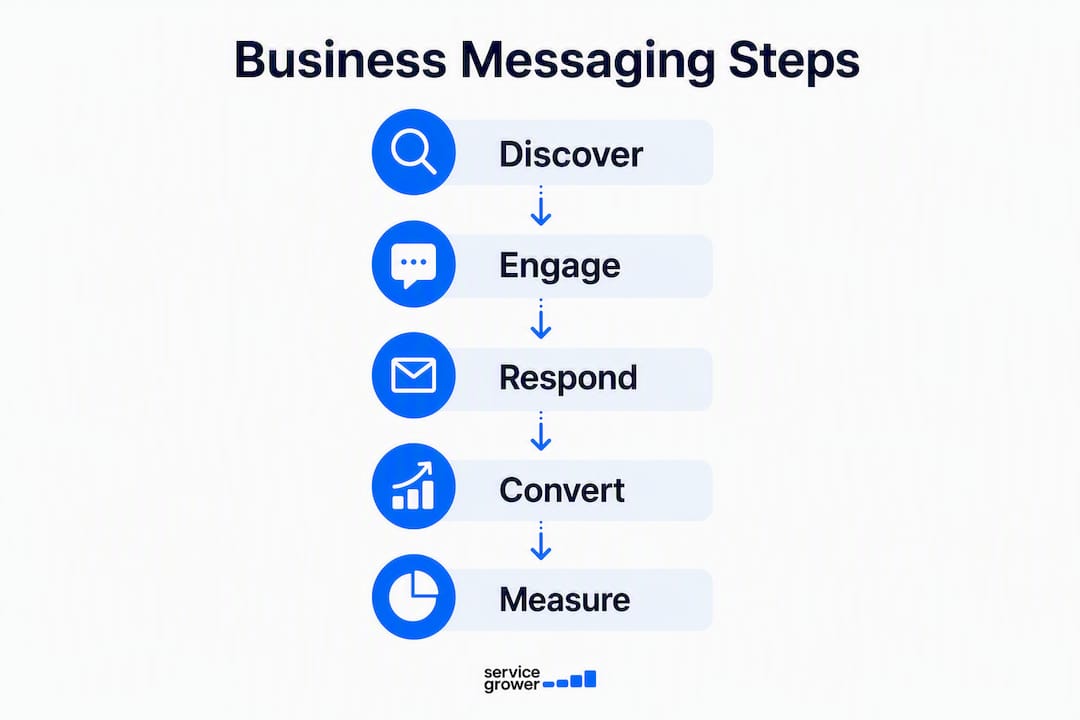
The technical flow has five stages. None of them are mysterious, but they do require real work.
- Partner registration: Create a partner account with Google and accept the terms of service. This unlocks the ability to create agents for brands you manage.
- Agent creation: Configure a conversational agent with your brand name, logo, welcome message, and availability hours.
- Webhook setup: Build a webhook endpoint to receive JSON payloads from the Business Messages API. Verify every incoming message using the
X-Goog-Signatureheader via SHA512 HMAC. - Automation and routing: Build conversational flows, suggested replies, and escalation logic. Connect to your CRM or booking system.
- Analytics and launch: Map conversation IDs to leads, set up response-time tracking, and run a soft launch with staff training.
Who you need on the team: a developer or integration partner, a conversational designer, an operations owner for SLA commitments, and someone responsible for analytics.
Typical implementation timeline
| Phase | Duration |
|---|---|
| Discovery and scoping | 1 week |
| Partner and account setup | 1–3 weeks |
| Webhook and agent development | 2–4 weeks |
| Conversational flows and testing | 1–3 weeks |
| Soft launch and staff training | 1–2 weeks |
Cost considerations:
- Engineering hours: The largest variable. DIY builds run anywhere from 40 to 150+ hours depending on complexity
- Hosting and webhook infrastructure: Modest but ongoing
- Platform or integrator fees: Monthly fees vary by provider; they reduce engineering time significantly
- Managed-service fees: An all-in-one SaaS like Service Grower bundles setup, design, and ongoing management into a predictable monthly subscription
How do you configure routing, analytics, and privacy correctly?
Getting the button live is step one. Getting it to actually convert is a different problem.
Routing by intent: Use the entryPoint and placeId fields in incoming message payloads to route differently based on where the customer started. A Maps tap from someone standing outside your location warrants a different response than a Search tap from someone comparing options.
Bot vs. live agent handoff: Set clear escalation triggers.
- Booking requests above a certain value go straight to a human
- Sentiment signals (frustration keywords, repeated questions) trigger escalation
- Any explicit “talk to a person” request routes immediately
- After business hours, a bot captures details and queues for morning follow-up
Pro Tip: Design your escalation criteria before writing a single line of code. Businesses that skip this step end up with bots that frustrate customers at exactly the wrong moment.
Analytics that matter: Track first-response time, conversation-to-booking rate, CSAT scores from built-in surveys, and phone call deflection rate. Tie each metric to revenue or appointments, not just message volume.
Privacy and security: Messages are encrypted between users’ devices and Google servers, and between Google servers and your agent. Google handles spam scanning. You cannot hold your own encryption keys. For PII, avoid storing sensitive data in conversation logs longer than necessary, and use OAuth when identity verification is required.
Common failure points to fix before launch:
- Missing or incorrect
X-Goog-Signatureverification on the webhook - No availability schedule set, leaving the agent appearing “open” 24/7 with no one responding
- Suggested reply buttons that haven’t been tested end-to-end
- Locale mismatch causing English responses to Spanish-speaking customers
Which integration path fits your business?
Three practical routes exist. The right one depends on your technical resources and how fast you need to move.
DIY via the Business Messages API gives you full control over every conversational flow, routing rule, and data connection. The trade-off is time. Expect several weeks of developer work, plus ongoing maintenance. Best for businesses with in-house engineering or a dedicated technical partner.
Messaging platforms and middleware reduce the engineering burden by handling webhook infrastructure and providing visual flow builders. You pay a monthly platform fee but get to market faster. Suitable for businesses with light technical support.
All-in-one SaaS with managed integration is the fastest path for most local businesses. Service Grower handles agent setup, webhook configuration, conversational design, staff training, and ongoing analytics. Because it’s built as an integrated platform, your Business Messages conversations feed directly into lead tracking, review management, and reporting alongside your other online presence data.
| Dimension | DIY API | Messaging Platform | Service Grower (Managed) |
|---|---|---|---|
| Time to launch | several weeks | 3 weeks | 2–4 weeks |
| Engineering required | High | Low–Medium | None |
| Cost shape | Upfront (capex) | Monthly (opex) | Monthly subscription |
| Conversational design | You own it | You own it | Handled for you |
| Analytics and lead tracking | Custom build | Partial | Integrated |
For a local HVAC company or barber shop without a developer on staff, the DIY path is rarely the right call. The managed route gets you live faster and keeps the system running without requiring you to maintain webhook code.
Key Takeaways
Google Business Messages is worth enabling for any local business that depends on mobile search, bookings, or fast lead response. The integration path you choose determines how quickly you see results.
| Point | Details |
|---|---|
| Confirm mobile search volume first | Only invest in setup if your customers are actively searching on mobile. |
| Choose your integration path early | DIY, platform, or managed SaaS each carry different cost shapes and timelines. |
| Design conversations before coding | Draft welcome messages and escalation rules before any technical work begins. |
| Track the metrics that matter | Measure first-response time, conversation-to-booking rate, and CSAT from day one. |
| Service Grower for managed setup | Service Grower handles agent setup, conversational design, and analytics for local businesses without engineering staff. |
Why the technical setup is only half the problem
Most local businesses that pilot Business Messages focus entirely on getting the button live. That’s the wrong priority. A chat button that opens to a dead-end welcome message or a bot that can’t escalate to a human will hurt your reputation faster than no button at all.
The businesses that see real results, more bookings, faster lead response, fewer missed calls, are the ones that invested time in conversational design before the technical launch. What does your customer actually type first? What’s the fastest path from that message to a confirmed appointment? Those questions matter more than webhook architecture.
Service Grower’s approach to Business Messages implementation starts with those questions. The platform’s integrated lead tracking and analytics connect conversation data directly to bookings and revenue, so you’re measuring outcomes, not just message volume. If you’re evaluating whether this channel fits your business, that’s the conversation worth having first.
How Service Grower sets up and manages Business Messages for you
Most local businesses don’t need to hire a developer to get Google Business Messages running. Service Grower handles the full setup: partner registration, agent configuration, webhook and authentication, conversational flow design, staff training, and monthly analytics reporting tied to bookings and revenue.

Three things that come with the managed path:
- Faster launch: Most clients are live within 2–4 weeks, with no engineering work on your end
- Integrated lead tracking: Every conversation feeds into Service Grower’s lead portal alongside your reviews, visibility data, and booking requests
- Monthly reporting: GrowthView analytics show you exactly which conversations converted to appointments
Book a 15-minute call to see whether Business Messages fits your business and get a clear picture of what setup looks like.
Primary sources and further reading
For developers and technical teams building directly on the API:
- Business Messages overview and entry points — the canonical starting point for understanding the product
- How Business Messages works — covers webhooks, JSON payloads, encryption, and conversation retention
- Features guide — full list of rich messaging capabilities including carousels, suggested replies, and OAuth
- Receive messages guide — webhook verification, message types, and context fields
- Register with Business Messages — step-by-step partner registration
For local businesses seeking managed help:
- Service Grower — integrated SaaS for local search visibility, customer messaging, and lead management
- Book a consultation — 15-minute call to discuss Business Messages setup and whether the managed path fits your business